PRODUCT · INVENTORY · THE WALK-IN
Count by shelf. Know what’s low.
Count by storage area in your own units, and see what’s low before it runs out.
AREAFreezer
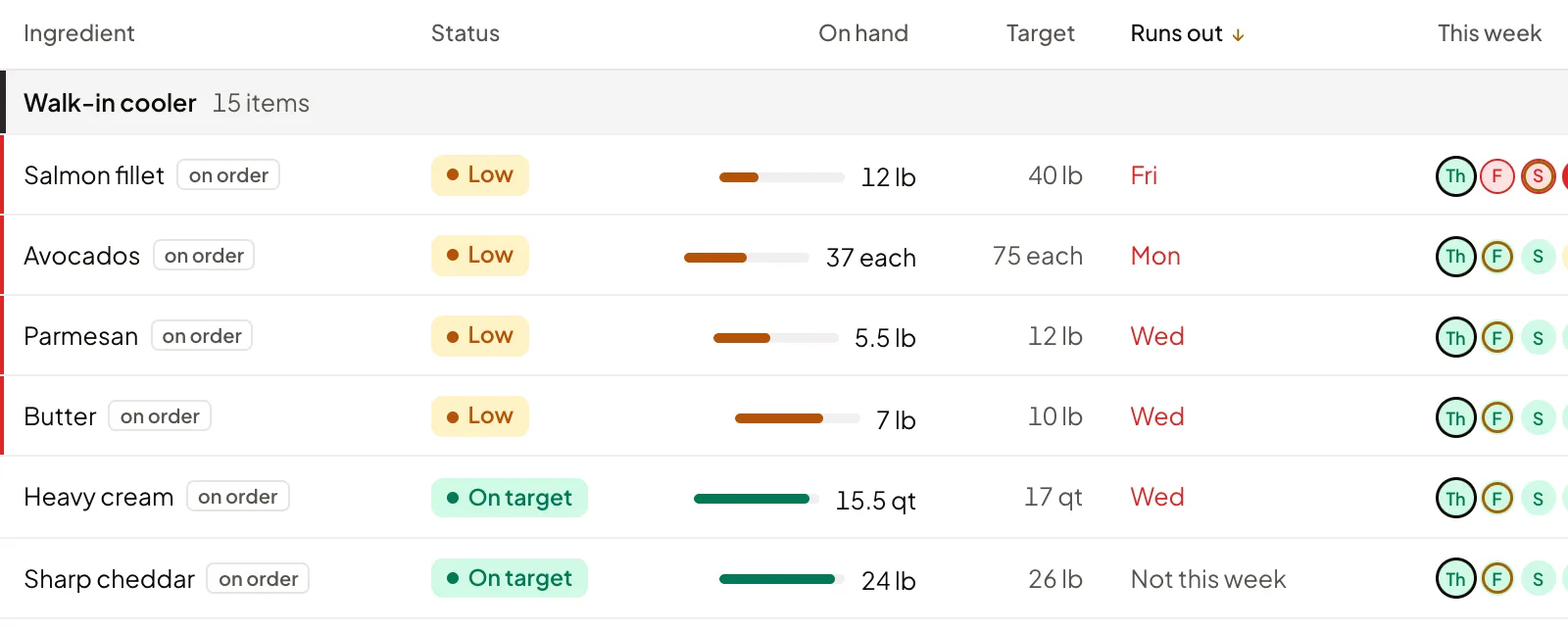
AREAWalk-in cooler · 15
AREADry storage
WHAT IT DOES
The walk-in, on one page.
Counts by storage areaEach shelf its own list, in your units.
Stock targetsOn hand against target as you count.
Run-out daysThe day each item runs out.
Any phone countsAnyone on the team counts with + and −.
Waste logA few taps, with a reason. Counted once.
Costs keep upDeliveries update what each item costs.
Missing isn’t zeroNot counted says not checked, never $0.
Voice countsSay the count, check it, save it.COMING SOON
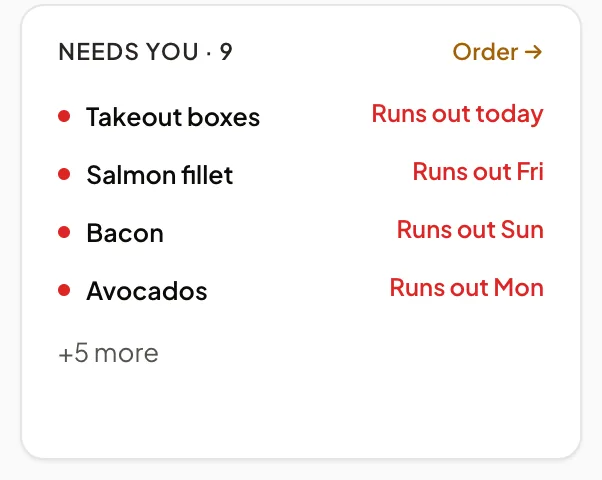
Every item says when it runs out.
The ones that need you sit at the top, with a link straight to Orders.
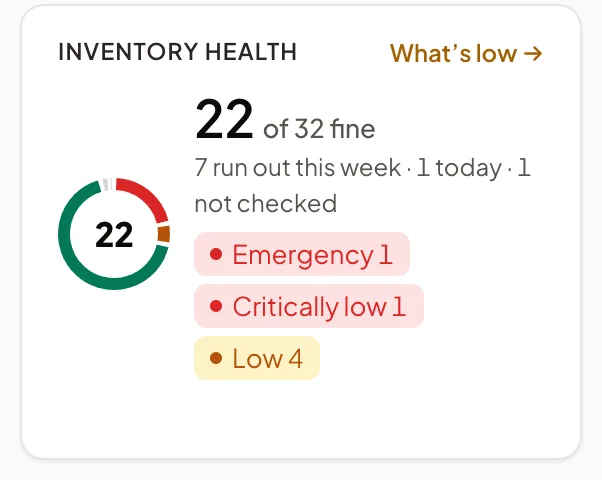
Fine, low or not checked.
Anything nobody counted says so, instead of hiding as zero.
WALK-IN FREEZER · SAMPLEfrom your photo
Chicken breast3 cases × 10 lb30 lbsure
Ground beef4 cases × 10 lb40 lbsure
Salmon fillet2 cases × 10 lb20 lbcheck
French friesNot an ingredient yet25 lbnew
Use 4 countsFix one
Count by photo COMING SOON
Snap the shelf. Check the counts.
Take a photo of a shelf and Ask Crumb suggests a count for each item, with how sure it is. Nothing is counted until you check it.
The walk-in’s agent COMING SOON
Meet the agents →Inventory health
Checks whether each ingredient lasts the next 7 days, and asks about run-outs and counts that don’t add up. Never sends an order.
STARTS ON ASK ME FIRSTSee it with your menu.
On a call we go through one delivery, one count and one of your dishes. No payment, nothing to set up.